
Grid upgrade: adjust ranges with no extra funds
Highlights:
(1) No additional funds needed for range adjustments
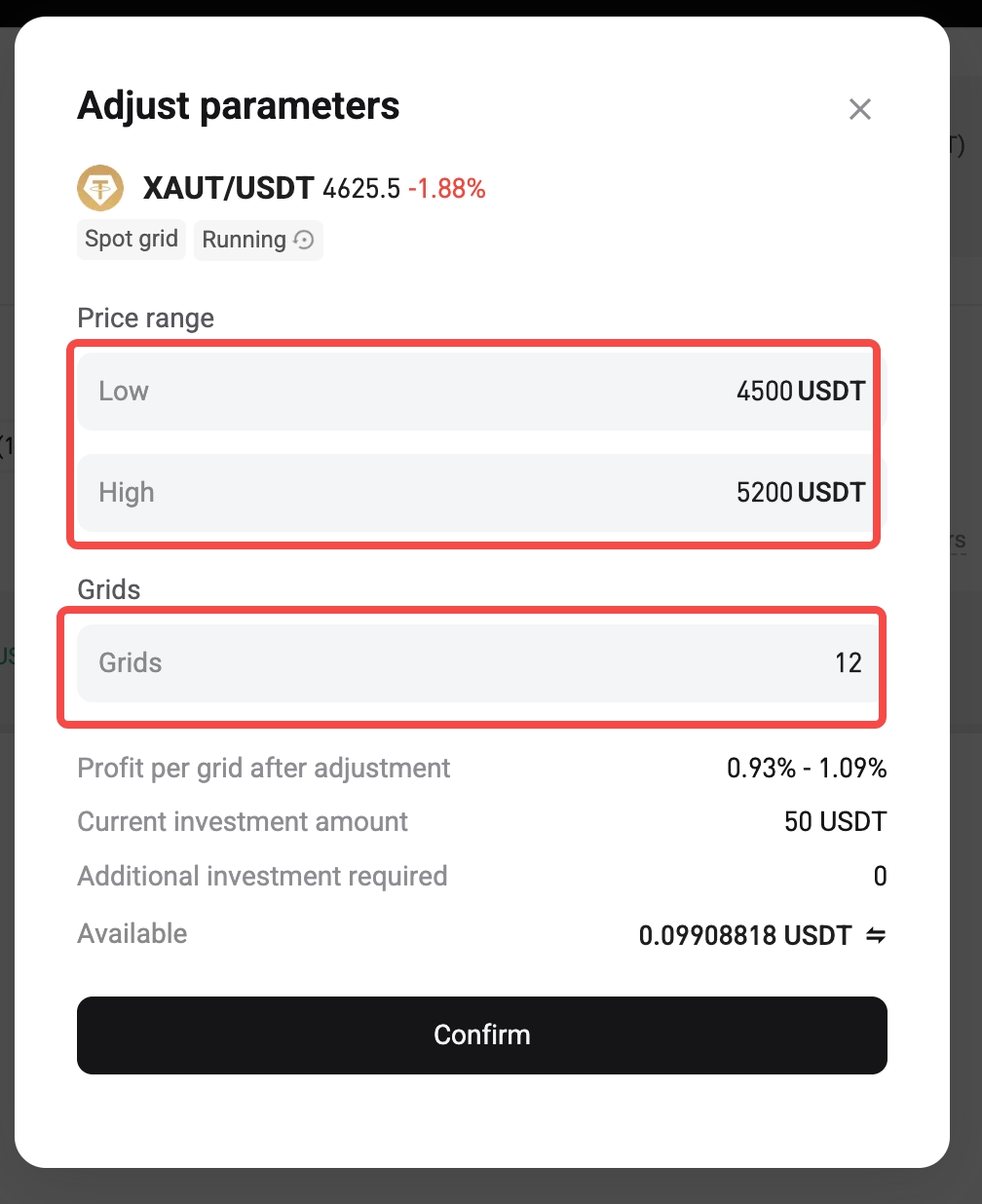
(2) Greater flexibility in the upper and lower limits of the price range
(3) Free adjustments of the number of grids and the interval
How do I adjust the grid parameters?
1. Go to the My Bots page.
2. From the list, locate the spot or futures grid bot you want to modify, tap More (•••), and select Adjusted Parameter.
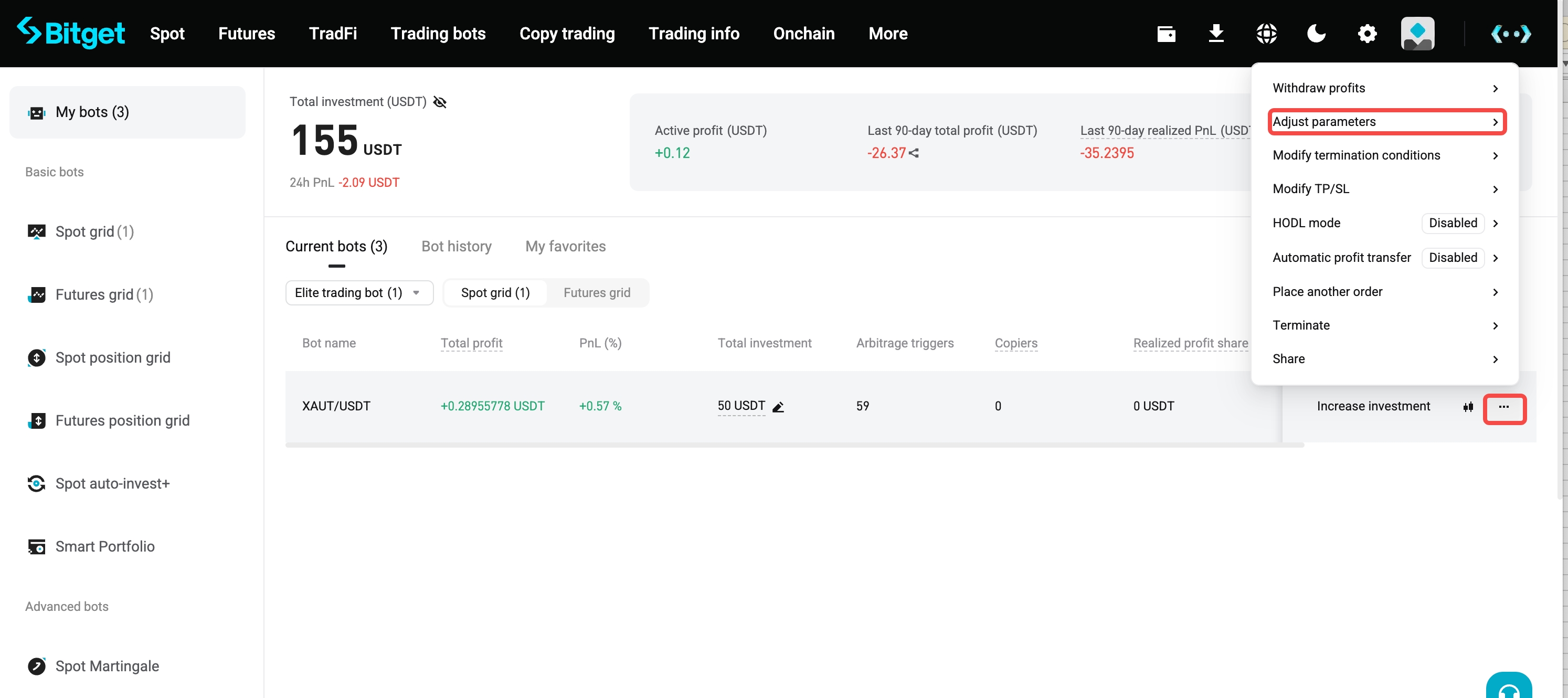
3. Enter the new parameters in the pop-up window, and confirm the change to the range and other parameters.
Disclaimer: The content of this article solely reflects the author's opinion and does not represent the platform in any capacity. This article is not intended to serve as a reference for making investment decisions.
You may also like
LEIDOS <LDOS.N>: STIFEL CUTS TARGET PRICE TO $142 FROM $193
Lifecore Biomedical Q2 FY26 net loss widens to $6.2 million; revenue falls 6.2% to $34.2 million
ZEBRA TECHNOLOGIES <ZBRA.O>: TRUIST SECURITIES RAISES TARGET PRICE TO $355 FROM $296
Share Your Bitget Fan Story, Split a 50,000 USDT Prize Pool!
Crypto prices
More


