
How to create an RSA key pair on Bitget
How to create an RSA key pair on Bitget
2023-08-10 11:23
6296461Share
RSA Key Generation
-
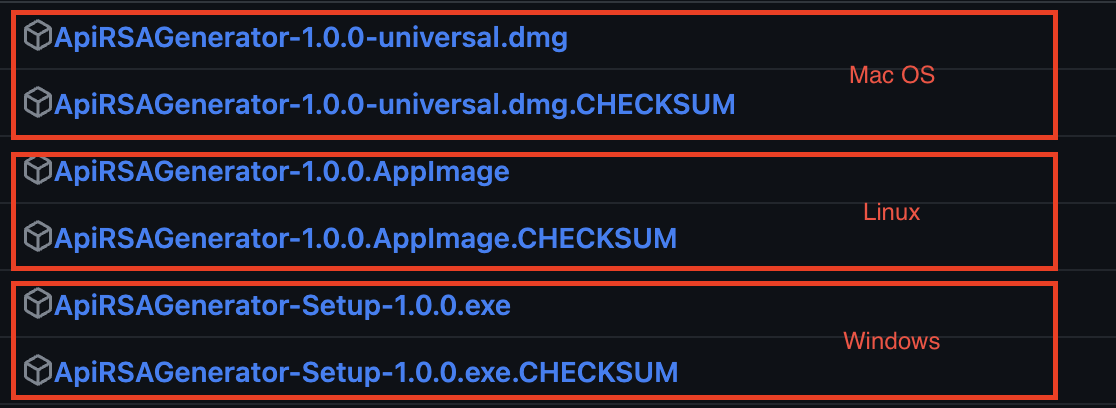
Please visit the RSA Key Generation tool website , and based on your system, download and install the latest version of the tool. Note: The ".CHECKSUM" file is used to verify the integrity of the installation package for the generation tool. Please download both files to the same directory.
-
Generating RSA Key Using RSA Key Generation Tool
-
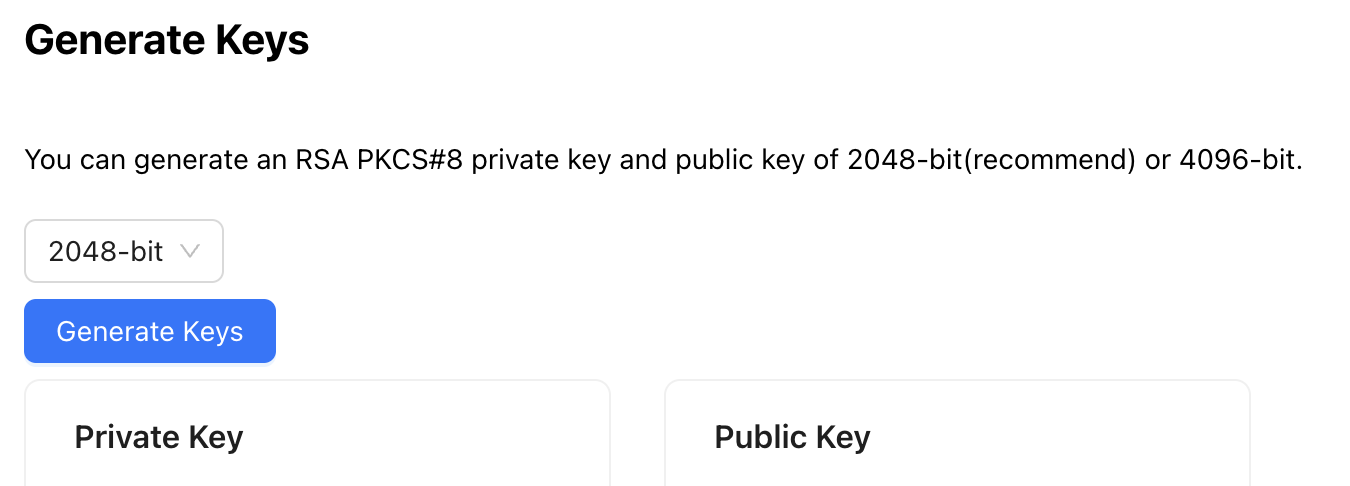
Adjust the key length to 2048 (default) or 4096 bits. Click on "Generate Key".
-
Copy the private key and the public key separately, and save them in files named "PrivateKey.txt" and "PublicKey.txt" respectively. Please note that the file extension is .txt, but you can modify it to other formats if needed.
!!!Please keep your key information safe and do not disclose it to anyone!!!
!!!Please keep your key information safe and do not disclose it to anyone!!!
Creating an RSA key pair on the Bitget platform
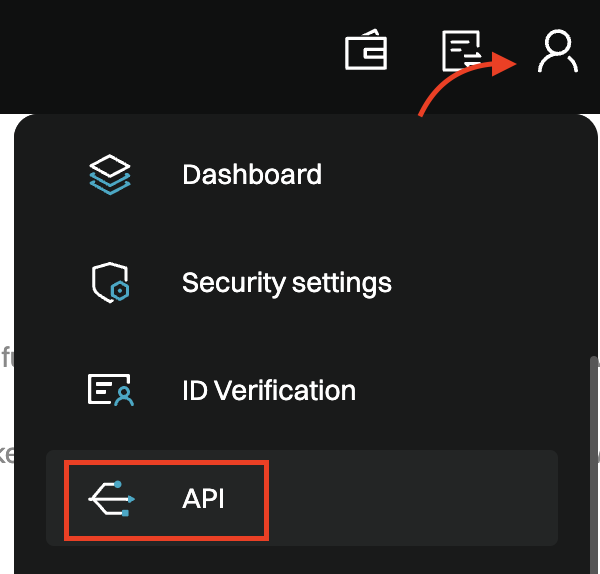
Step 1: Hover your mouse over the profile icon in the upper right corner of the Bitget page, then click on "
API".
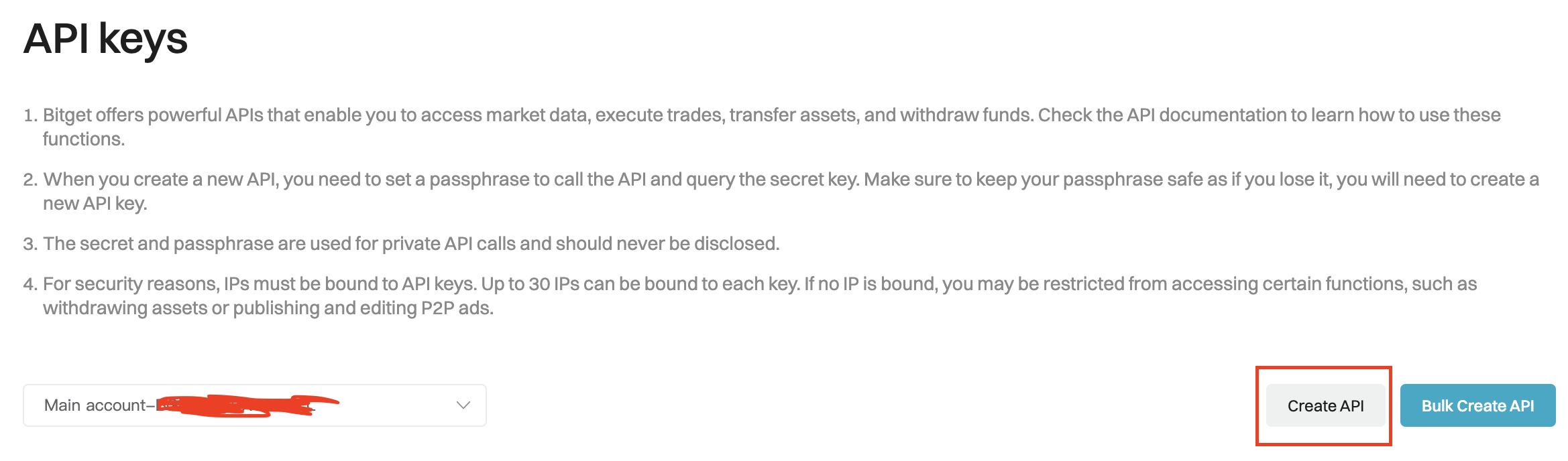
Step 2:Click on "
Create API". (The left dropdown menu allows you to select the main account or sub-account for which you want to create the API.)
Step 3: Select "
User-generated API Keys".
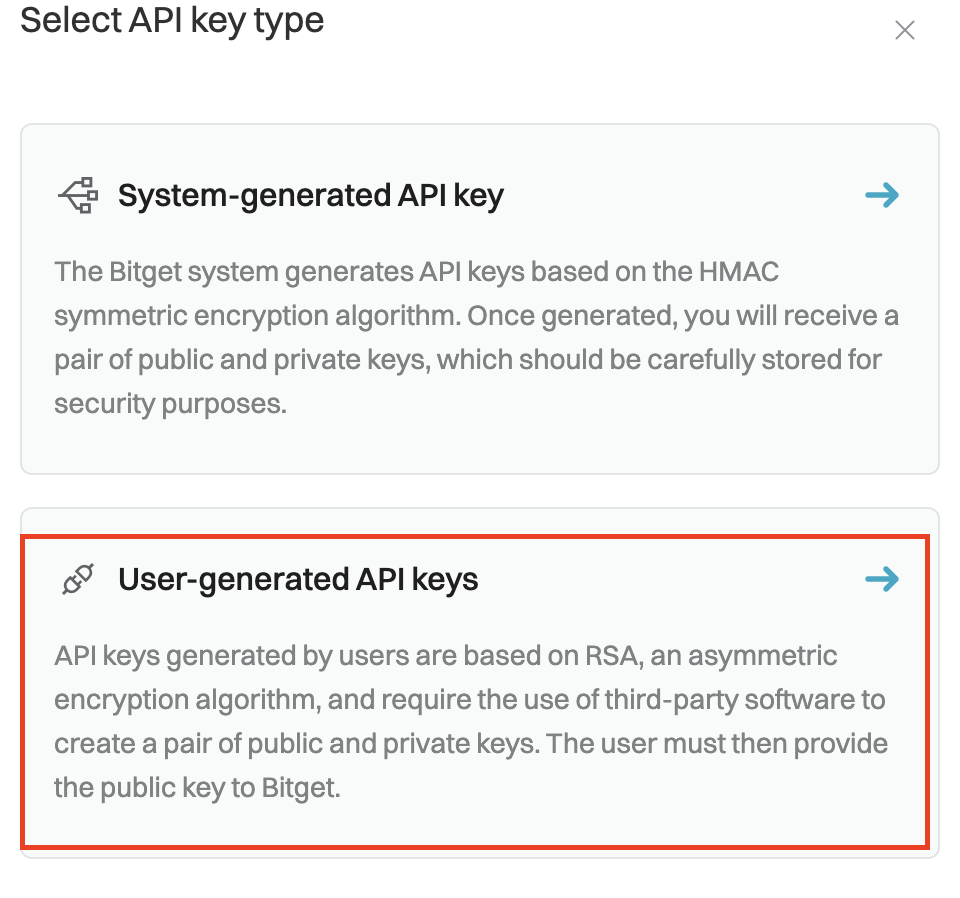
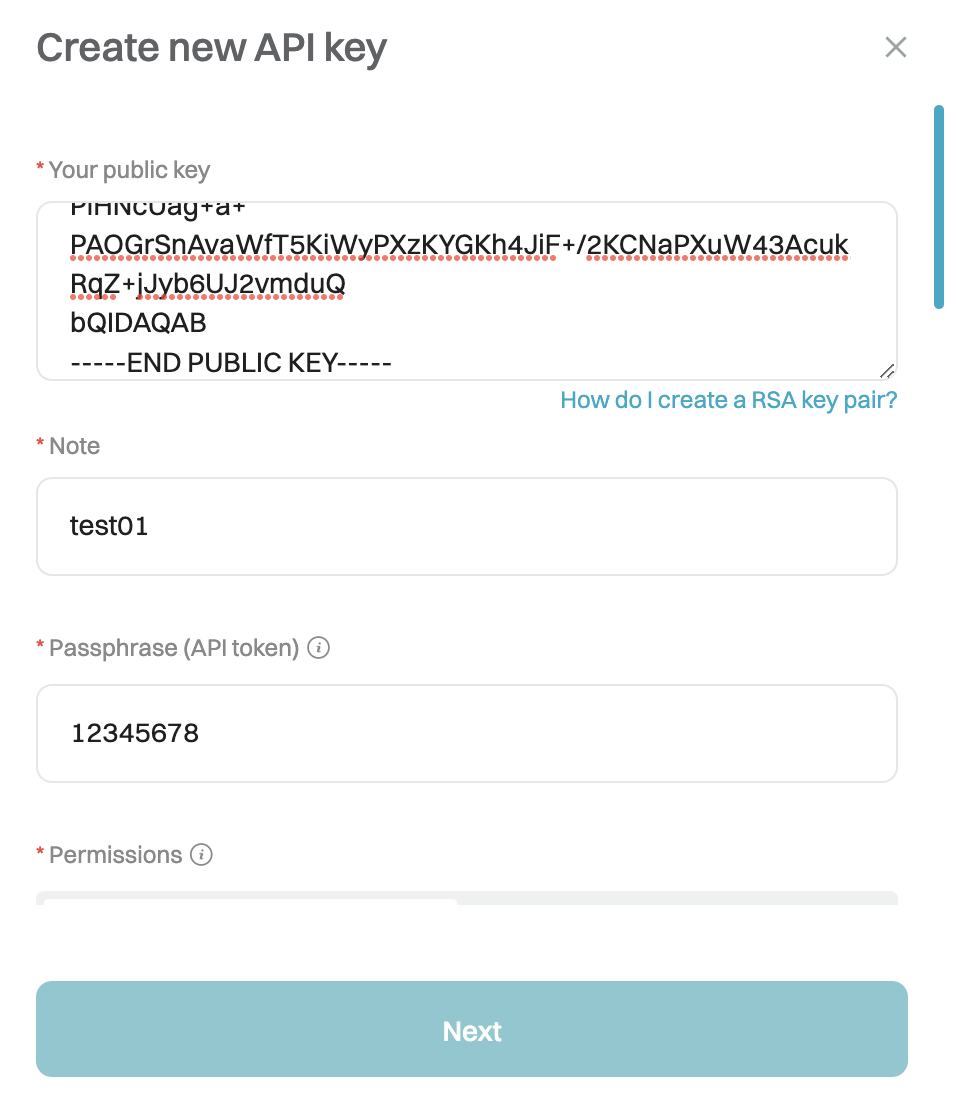
Step 4: Copy and paste the content of the public key (from "PublicKey.txt" generated using the RSA Key Generation tool) into the "
your oublic key" box. Then, set the API key
Note,
API
Passphrase , and the
permissions you want to assign to the API key.
Once done, click on "
Next".
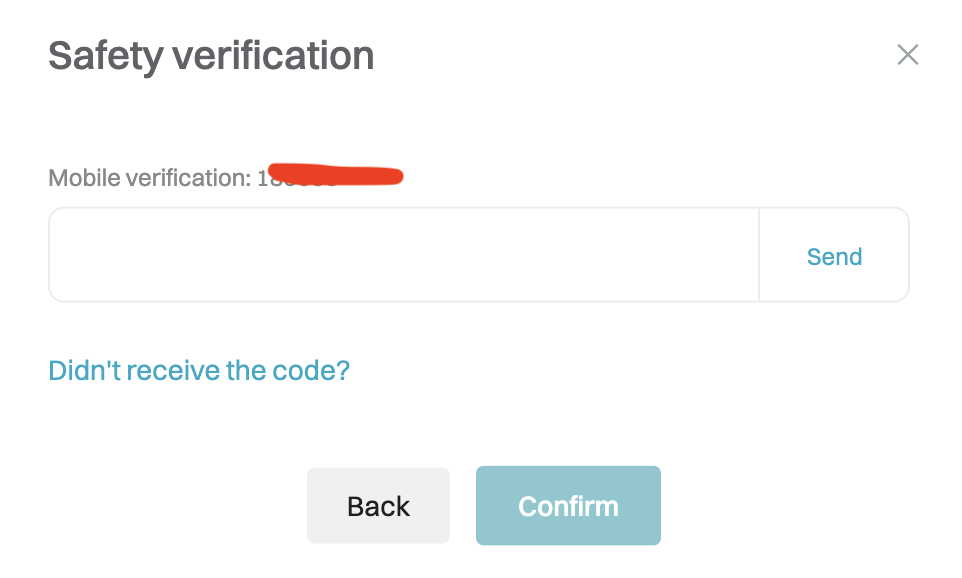
Step 5: Enter the security verification code you received and click "
Confirm".
Step 6: Congratulations, you have completed the creation process. Please keep your key information safe and secure.
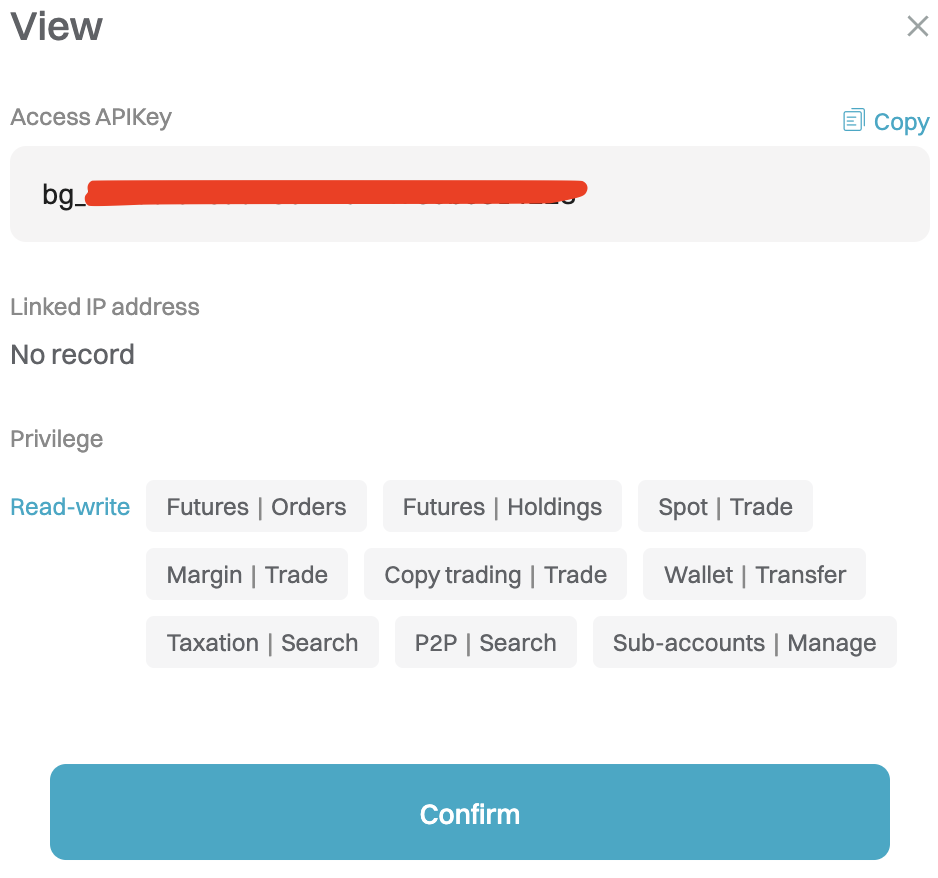
After creating the API keys through the System-generated API Key(HMAC) and User-generated API Keys(RSA) methods, there will be clear indications next to the key note, making it easier for you to distinguish between them.


*This announcement is time-sensitive. Please note the date of publication. The platform assumes no responsibility for any direct or indirect losses arising from changing circumstances or outdated content.
Related articles
Bitget Open API now supports CFD tradingAnnouncement on Bitget’s Full Launch of the Reality Stock Spot APIBitget Now Supports Stock+ API Trading for U.S. Stocks and OptionsBitget Unified Trading Account API Rate Limit Upgrade AnnouncementReality spot stock APIs now available on BitgetBitget Broker UTA Unified Trading Account API Upgrade NoticeLOLA Line Launch AnnouncementBitget V1 API deprecation noticeBitget to adjust the retention period for perpetual API order recordsBitget to adjust the retention period for spot API order records
Was this helpful?